SHOWLINE
Motion design for real spaces.
This book fixes how Showline looks, moves and speaks: in the app, on this site, in client rooms and on the end card of every film we render with it. Everything here is live code, so it can be copied straight into a build.
A production tool with a stage presence.
Showline lives between two worlds: the dark, exact interface of a production tool, and the light of the screens it fills. The brand keeps that tension. The frame is quiet and precise. The signal, one warm line of light, marks where something is alive.
Real pixel maps, real frame rates, real names on the timeline. We show numbers instead of adjectives.
Nothing on a Showline screen is fully still. Holds breathe, grids drift, the line glows.
We design for walls, ribbons and facades, and we show work in the room it plays in.
Every part can change until show day. The brand shows that openly: layers, versions, history.
An S drawn from timeline tracks.
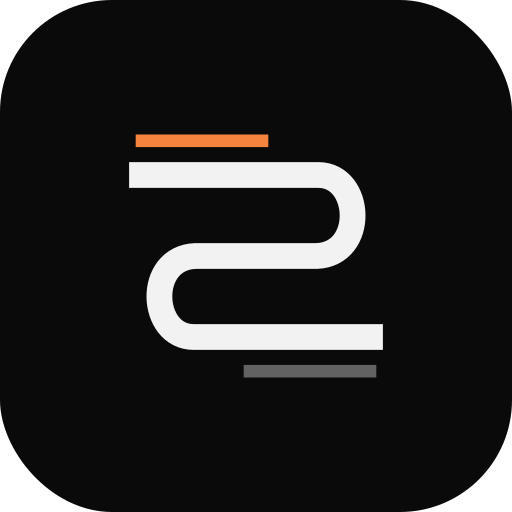
The mark is the letter S built from one continuous track that turns twice, like a clip running across three rows of a timeline. Two thin bars above and below are the in and out points. It is drawn on a 32-unit grid with square caps and a 2.15-unit stroke.
- 01Clear space equals the height of the S bar zone (the distance between the in bar and the first track) on every side.
- 02Minimum size: mark 16 px, horizontal lockup 96 px wide on screen, 20 mm in print.
- 03Wordmark tracking is 0.32 em in lockups and 0.16 em at display sizes above 120 px.
- 04Endorsement “by NAOS Studio” sits under the wordmark in mono caps. Client work carries “Made in Showline” instead.
One warm line means it's live.
The signal line is the brand's main device: a 3-pixel horizontal stroke in Signal orange with a soft glow. It underlines the wordmark, marks the playhead, fills progress and separates the title from the subtitle on an end card. Use one per composition.
A dark room and one light.
The interface is built from neutral greys so the client's palette on the canvas is the only colour that matters. Signal orange is reserved for what is active: the line, the playhead, the primary button, the selected preset. Guide teal is for measurement only.
- AClient palettes live inside the canvas. Project palettes are set per build and never recolour the Showline frame.
- BSignal is a state, not a decoration. If nothing is live or selected, there is no orange on screen besides the line.
- CContrast. Paper on Ink is 17.7:1, Mute on Ink 5.7:1, Ink on Signal 7.8:1. Body text never uses Mute below 14 px.
Three voices, one sentence.
Inter carries headlines and reading text. JetBrains Mono speaks for the machine: labels, timecodes, specs and buttons, always in caps with open tracking. Instrument Serif Italic appears only for the words that carry feeling, at most two per line. Arabic is set in IBM Plex Sans Arabic.
Headlines, body, numbers. Display at −0.04 em, body at 16–19 px with 1.55 leading.
UI labels 9–11 px caps at +0.12–0.14 em. Timecode 00:00:00, specs 3840 × 2160 · 50P.
Emphasis only: “real spaces”, “the show”. Sized 1.06–1.12× the line it sits in.
Right to left, never tracked, mixed with Latin in one line by Showline's script engine.
| Display | Every part, editable. | 96 / 0.95 · −0.04em |
| H3 | Masters that media servers accept. | 44 / 1.0 · −0.03em |
| Body | Queue whole compositions or single scenes and render HAP for media servers. | 18 / 1.55 |
| Label | Render queue · 3 jobs | 11 / caps · +0.14em |
| Data | 00:01:24:37 · HAP Q · 3840 × 480 | 13 / mono 600 |
Arrive fast, settle slow.
Showline's studio ease starts quick and lands softly, the same curve the engine uses for text and transitions. Entrances resolve in about a second, holds keep a slow pulse of light, and everything is judged at 50 fps as video, never as a still.
- 01Motion continues through the scene. A hold keeps a light drift, scan or breath.
- 02One hero move per scene. Everything else supports it.
- 03Pop ease cubic-bezier(.34, 1.56, .64, 1) only for small UI confirmations.
- 04Reduced motion is respected on the web: fades replace movement.
Panels, pills and one canvas.
The interface is three columns around the canvas: scenes, the stage and an inspector, with the timeline below. Controls are pills and chips in mono caps. Radii are 6, 10, 14 and full. Borders are always 1 px.
Slide timing
Talk like the person running the show.
We write the way a production lead talks on a call two days before opening: specific, calm, with the numbers. Short sentences. Real formats and real deadlines. One warm phrase per page is enough.
We write
Renders HAP 3840 × 2160 at 50 fps for the media server.
A text fix on scene 3 lands in all three compositions.
Client names are left out here; the work is real.
We avoid
Unlock next-level, seamless content workflows.
The ultimate AI-powered creative solution.
Revolutionising the future of events.
- 01Lead with the object. Scene, wall, comp, render. Then what happens to it.
- 02Numbers over adjectives. 4K, 50p, 8:1, 13:40. If there is no number, describe what the client sees.
- 03Client work stays anonymous in public. Describe the space and the brief, never the brand.
- 04Product name is Showline in text, SHOWLINE only in the wordmark. Never “ShowLine”.
Where the brand shows up.
The frame stays the same from the app splash to the last second of a rendered film.
Take the originals.
Vector files for the mark and lockups. Colour and type tokens are in the site's stylesheet and match the app's theme file.